Configure a Dataset
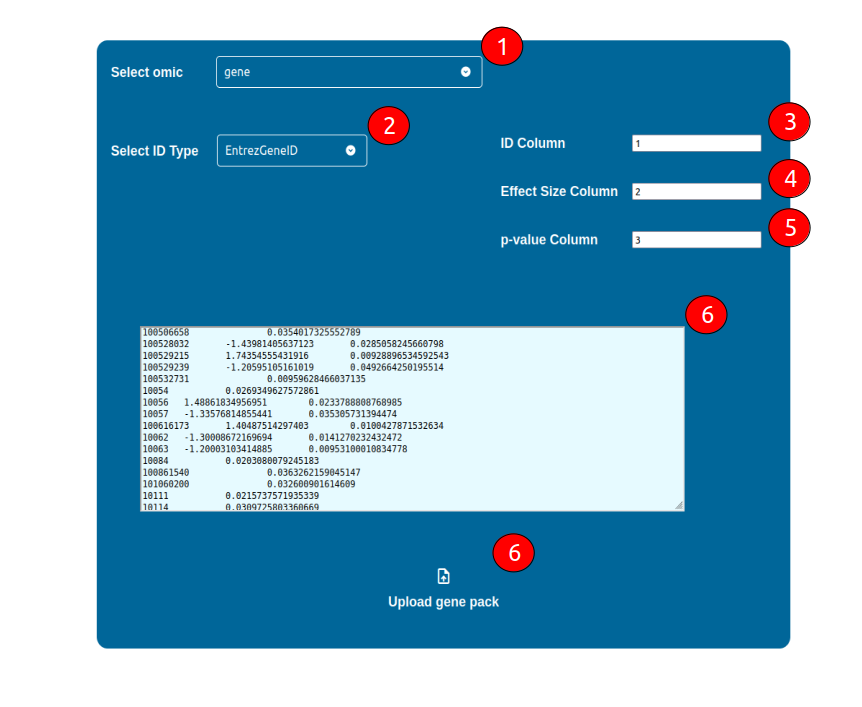
The configuration of a dataset requires the following general steps:
Select what -omic science is representative of the dataset by using the “Select omic” selector
Select what kind of ID is being adopted in your dataset
Select which column is holding the IDs
Select which column is holding an Effect Size Static value (e.g. logFC), if any
Select which column is holding a p-value, if any
Upload your dataset in a tab-separated text format by either copy and paste it in the coloured text area, or by uploading it using the “Upload {omic} pack” button below